



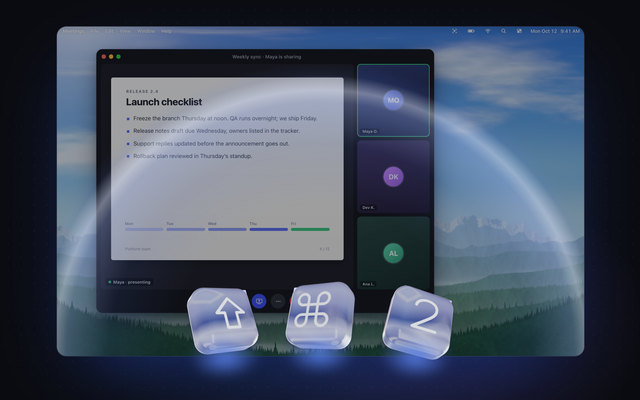






New Copy tables as tables. Translate as you capture. Tables & live translation

If you can see it, you can copy it.

Press ⇧⌘2 and drag over any text on your screen — a paused video, a screen share, a scanned PDF. Let go, and it’s on your clipboard.

  • One-time purchase
  • Private, on-device
  • macOS 26 Tahoe or later

How it works

Press. Drag. Paste.

The words in a paused video, a screen share, a scanned PDF or a photo — turned into text you can paste, in one quick motion.

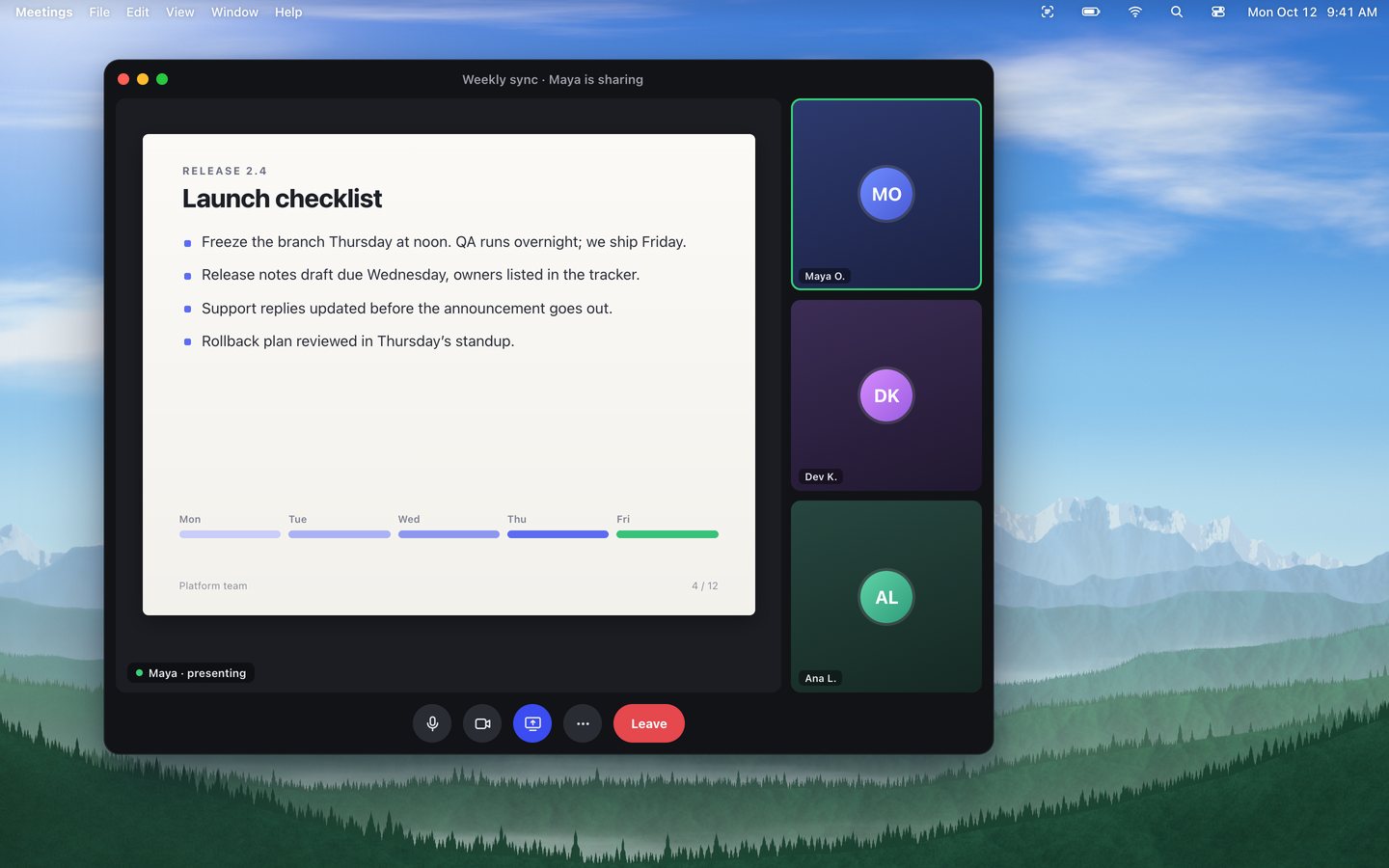
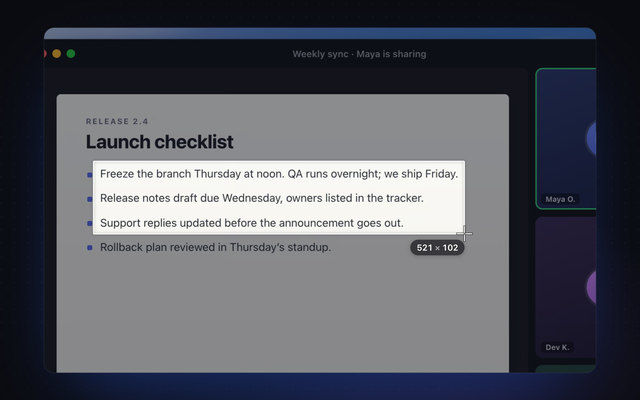
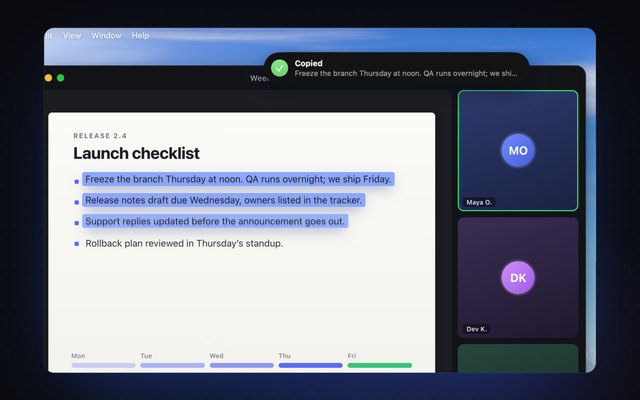
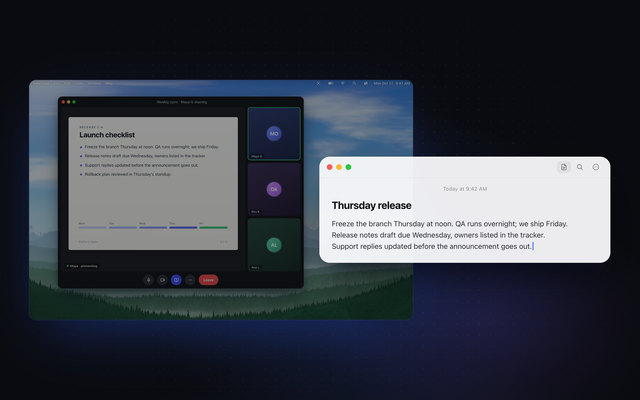
Illustration: the Shift, Command and 2 keys are pressed, the screen dims, a selection is dragged over three lines of a slide shared in a video call, Unpixel shows its “Copied” confirmation, and the three lines are pasted into a note as real text.

Thursday release

Freeze the branch Thursday at noon. QA runs overnight; we ship Friday.

Release notes draft due Wednesday, owners listed in the tracker.

Support replies updated before the announcement goes out.

  1. Glass Shift, Command and 2 keys pressed in front of a dimmed video call.

    Press Shift-Command-2

    In any app, on any display. The screen dims and your pointer becomes a crosshair.

  2. A selection dragged over three lines of a slide in the call, with its size shown beside the crosshair.

    Drag over the words

    A paused video, a shared slide, a scanned page. Only what’s inside the box is read.

  3. Unpixel’s Copied confirmation at the top of the screen as the recognized lines lift off the slide.

    Let go. It’s copied.

    Read on your Mac by Apple’s Vision framework. A small Copied bubble shows what it found.

  4. The three lines pasted into a note as editable text, next to the call.

    Paste it anywhere

    Real, editable text for a note, a reply or a ticket. No screenshot file left behind.

Unpixel, start to finish, in about a minute.

Features

Text was just the start.

Search everything you’ve captured, read codes and whole PDFs — and, new in this release, paste tables as tables and translate as you capture.

  1. 01History

    Everything you’ve copied, one click away.

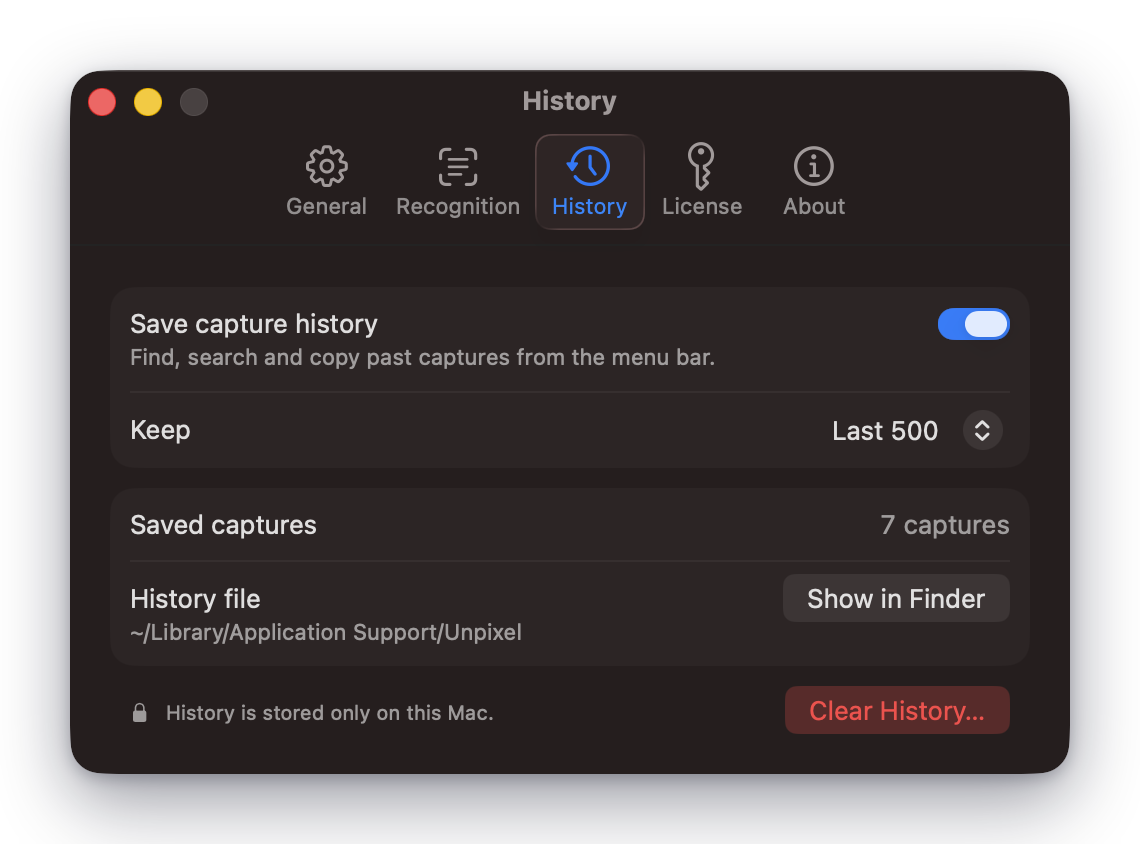
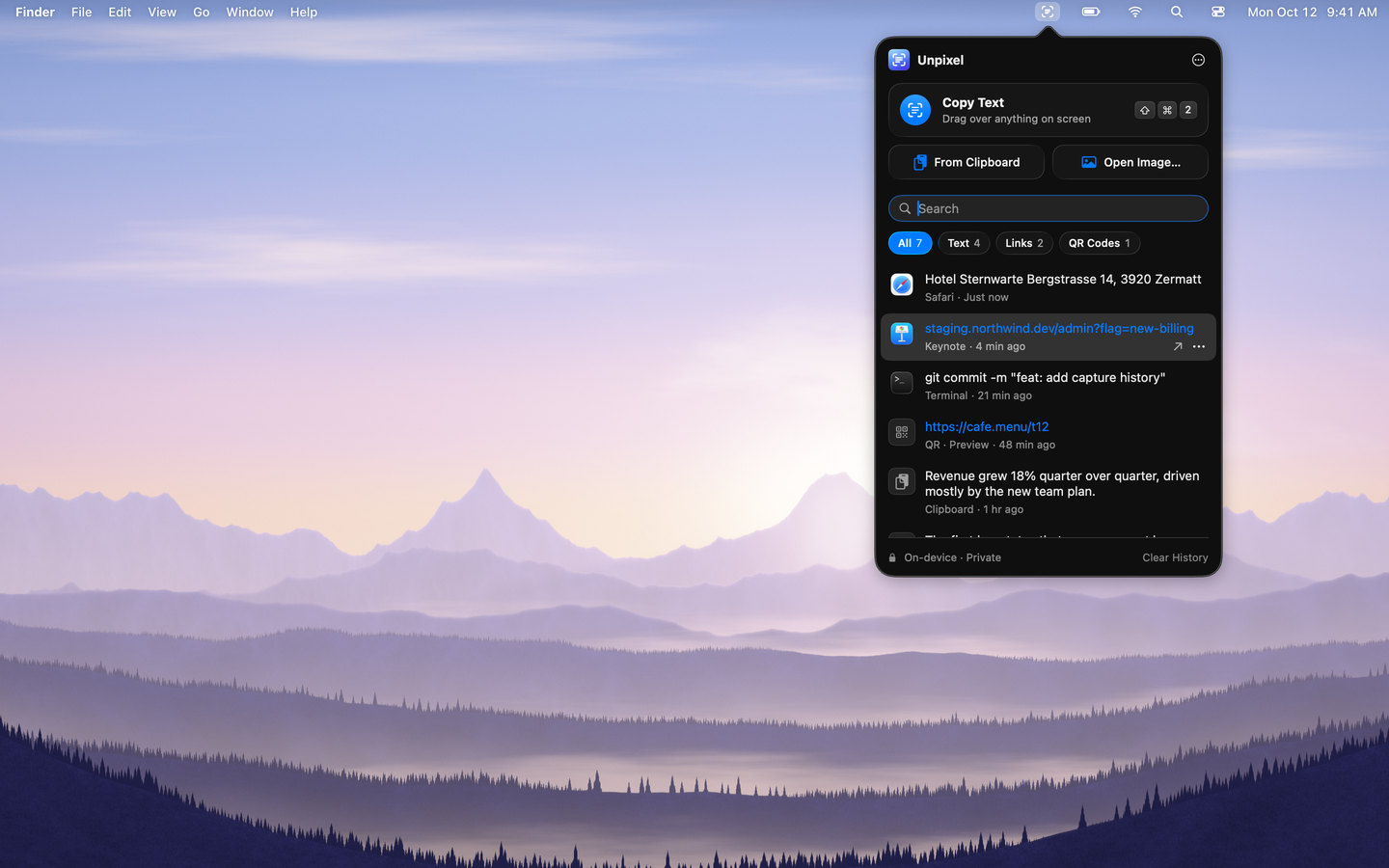
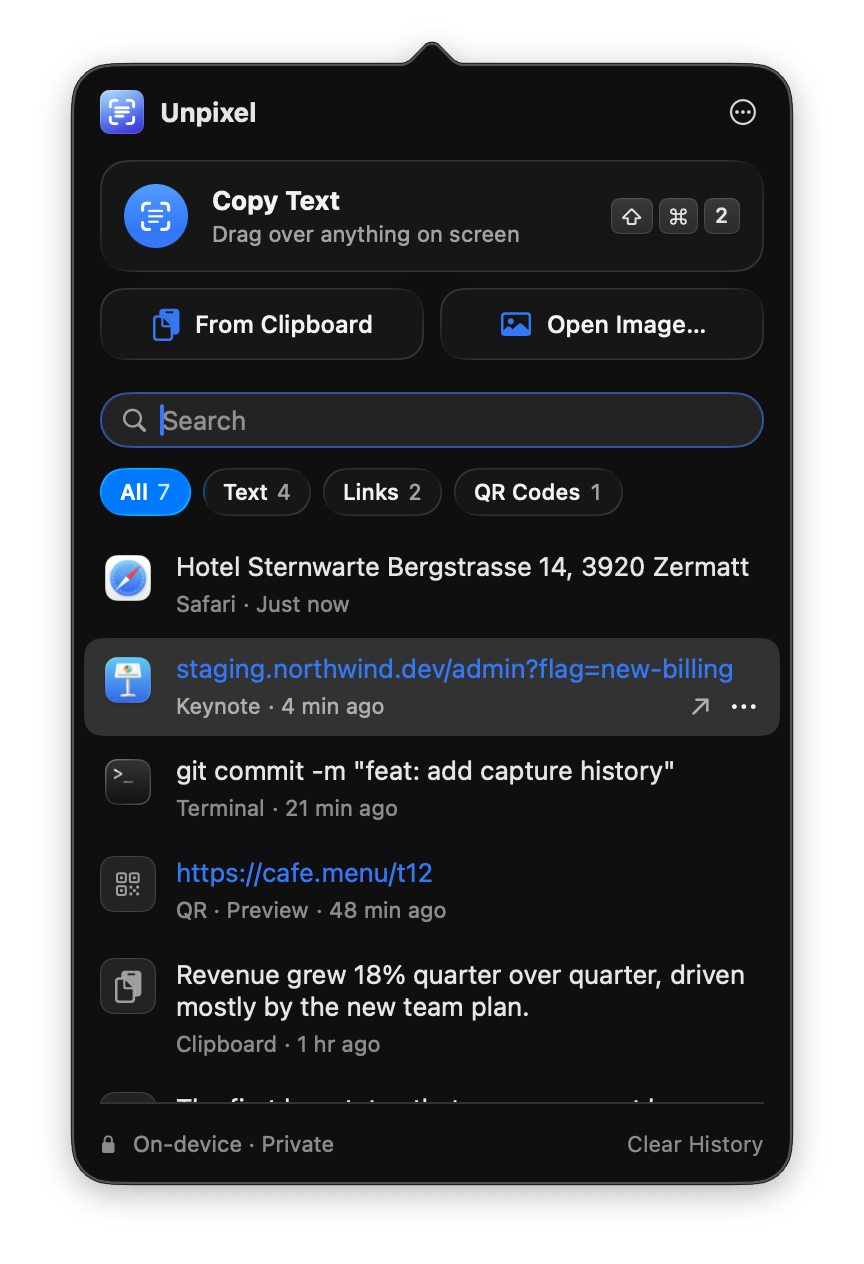
    Recent captures wait in a searchable history in the menu bar. Filter by Text, Links or QR Codes, and click any item to copy it again.

    Unpixel’s menu bar panel: Copy Text (Shift-Command-2), From Clipboard, Open Image, search, All / Text / Links / QR Codes filters and recent captures
  2. 02Codes & links

    Point at a code. Get what’s inside.

    Drag over a QR code or a barcode and what it holds is on your clipboard. Links stay links — paste them anywhere, or open them straight from your history.

  3. 03Images & PDFs

    Files, too — even scanned ones.

    Choose Open Image… and pick a photo or a scanned PDF of up to 50 pages: every page is read on your Mac and the text lands in your history. Or read an image that’s already on your clipboard.

  4. 04Tables New

    Tables paste as tables.

    Capture a table and paste it into Numbers, Excel or Google Sheets with rows and columns intact — every value in its own cell.

  5. 05Translate New

    Translate as you capture.

    Hold ⌥ as you let go, and the text is translated before it’s copied — on your Mac, with nothing sent anywhere.

Everyday captures

Made for moments you’d rather not retype.

The slide that moved on too fast. The error code forty characters long. The menu you can’t read. Drag over it once, and the text is on your clipboard.

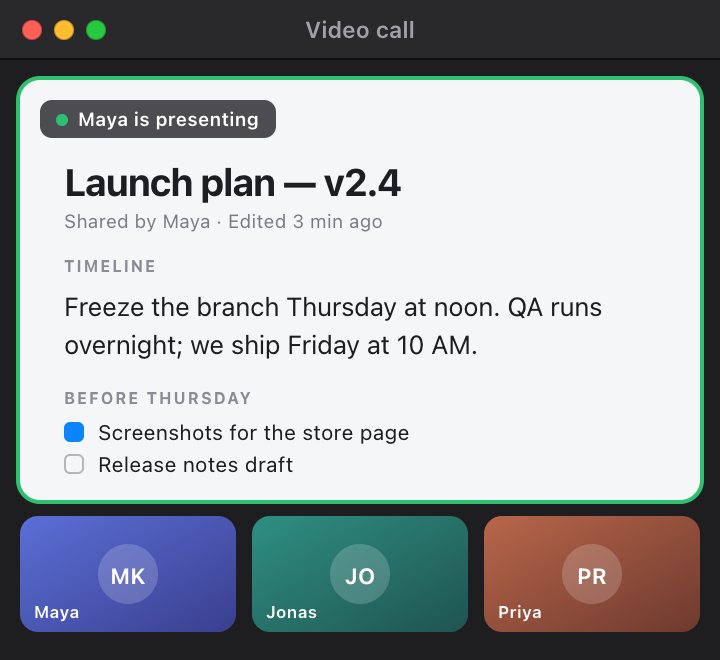
A video call window. Maya is presenting a launch plan that reads “Freeze the branch Thursday at noon. QA runs overnight; we ship Friday at 10 AM.”
Copied: Freeze the branch Thursday at noon. QA runs overnight; we ship Friday at 10 AM. Screen share in a video call
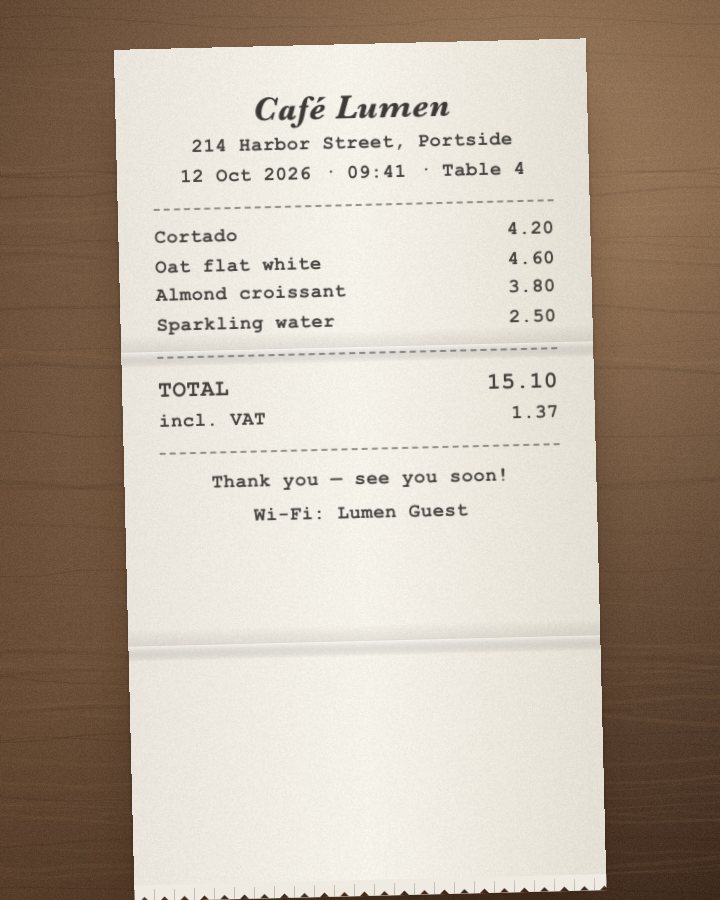
A photo of a café receipt listing a cortado, an oat flat white, an almond croissant and a sparkling water with their prices.
Table copied: 4 rows × 2 columns — pastes as cells Photo of a receipt New
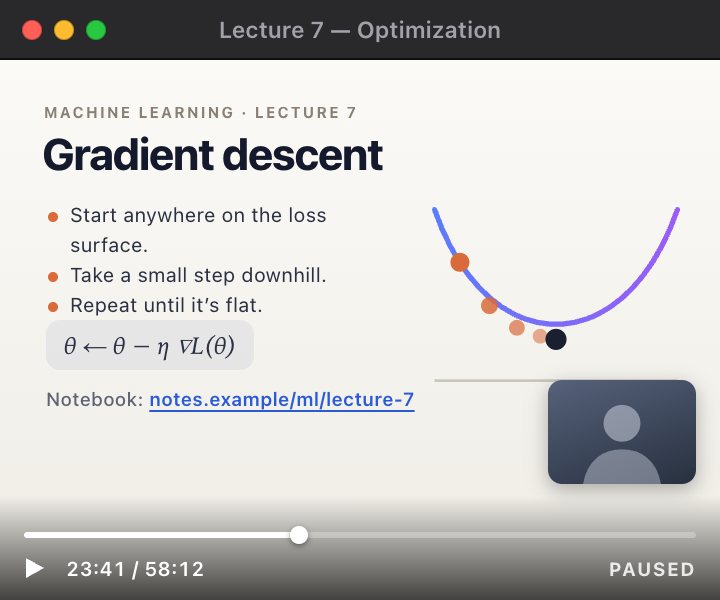
A paused lecture video on gradient descent. The slide links to a notebook at notes.example/ml/lecture-7.
Link copied: https://notes.example/ml/lecture-7 Paused lecture
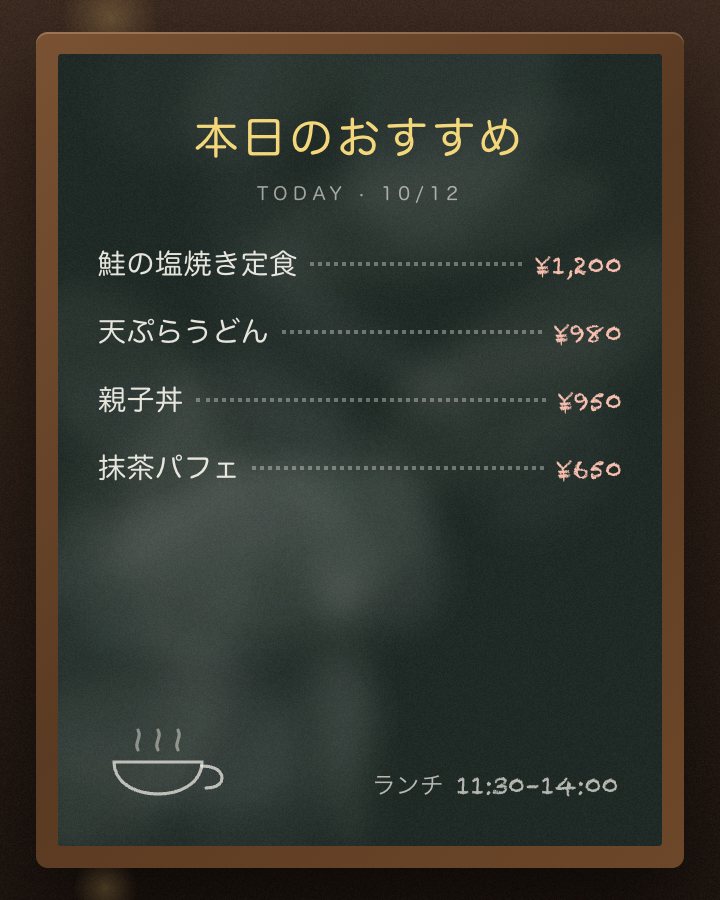
A chalkboard menu in Japanese listing today’s specials and their prices in yen.
Translated & copied: Today’s specials: salt-grilled salmon set ¥1,200 · tempura udon ¥980 · chicken and egg rice bowl ¥950 · matcha parfait ¥650 Photo of a menu New
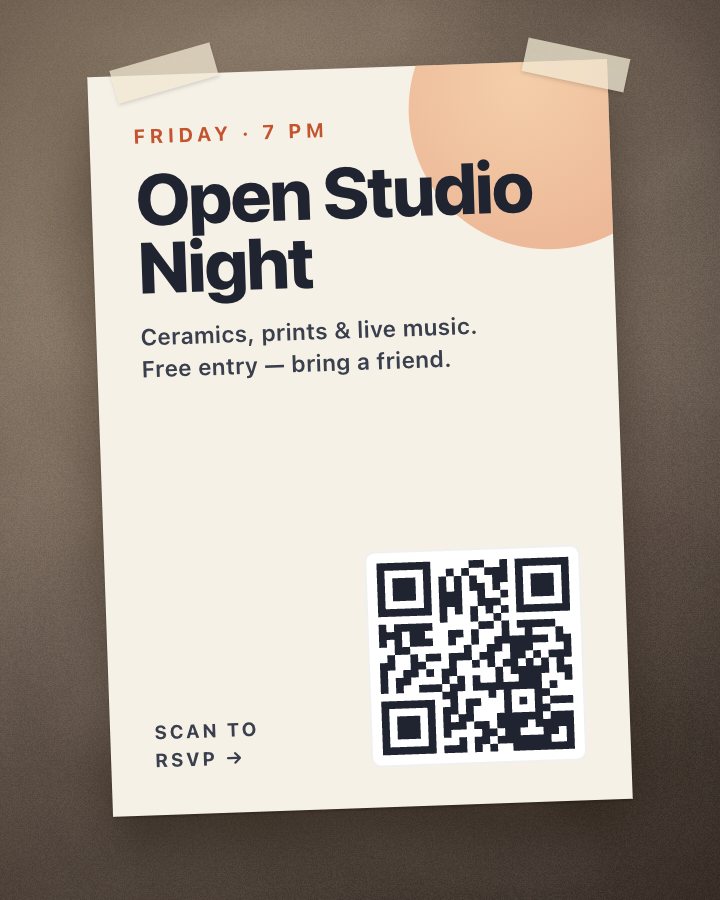
A photo of a poster for an open studio night, with a QR code in the corner.
QR code copied: https://getunpixel.app Poster with a QR code
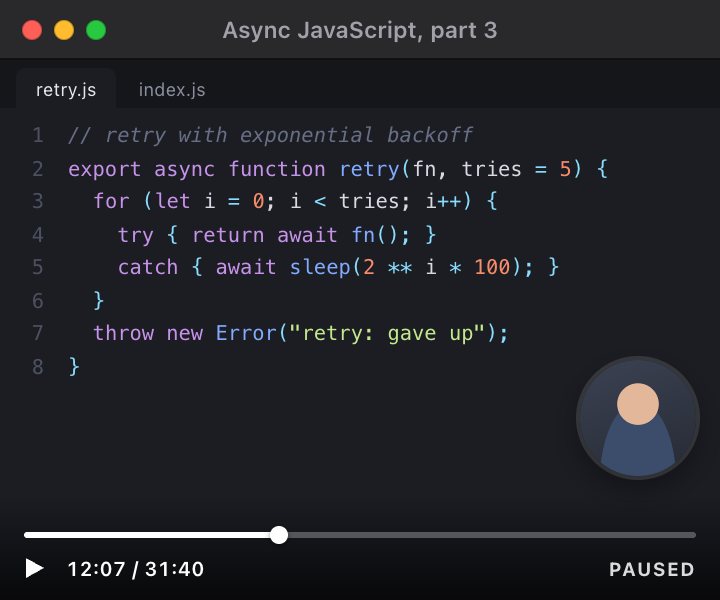
A paused coding tutorial showing a JavaScript retry function with exponential backoff.
Copied: export async function retry(fn, tries = 5) { Coding tutorial, paused

Who it’s for

  • Students

    Slides from a paused lecture and passages from scanned readings, straight into your notes.

  • Developers

    Error codes, log lines and code from a video tutorial — no squinting, no retyping.

  • Support teams

    Order numbers and settings from a customer’s screenshot, ready to paste.

  • Researchers

    Quotes from scanned papers and PDFs that won’t let you select a word.

Reads around 30 languages, in whatever script they’re written in.

  • English
  • Français
  • Deutsch
  • Español
  • Italiano
  • Português
  • Nederlands
  • Svenska
  • Dansk
  • Norsk
  • Polski
  • Čeština
  • Română
  • Türkçe
  • Bahasa Indonesia
  • 日本語
  • 한국어
  • 简体中文
  • 繁體中文
  • 粵語
  • العربية
  • Русский
  • Українська
  • ไทย
  • Tiếng Việt
  • Bahasa Melayu
  • Nynorsk

Privacy & craft

Private by default. At home on your Mac.

No account, no uploads, no Dock icon. Unpixel does its work on-device, stays out of your way, and answers to your keyboard.

On-device

What you capture stays on your Mac.

Apple’s Vision framework reads the pixels right here. Each capture is processed in memory, then discarded — never saved as an image, never uploaded.

Unpixel goes online for two things only: verifying your license and checking for updates. Privacy policy

Capture data sent On-device

0bytes

Recognition
This Mac
Images kept
None
Account
Not needed
History
Local · clearable

Native

Feels like it shipped with macOS.

Liquid Glass, system controls and SF Symbols. It follows Light and Dark, Reduce Motion, Reduce Transparency and VoiceOver.

Unpixel History settings

Keyboard-first

Your hands never leave the keys.

⇧⌘2 starts a capture in any app. Prefer another shortcut? Record your own.

  • Move the selectionHold Space
  • CancelEsc
  • Search your history⌘F

Automation

Every action has a URL.

Wire Unpixel into Raycast, Alfred, Shortcuts or a Terminal script.

  • unpixel://captureStart a selection
  • unpixel://clipboardRead the image on the clipboard
  • unpixel://openOpen an image or PDF
  • unpixel://historyShow the history panel
  • unpixel://settingsOpen Settings

Set and forget

Ready before you are.

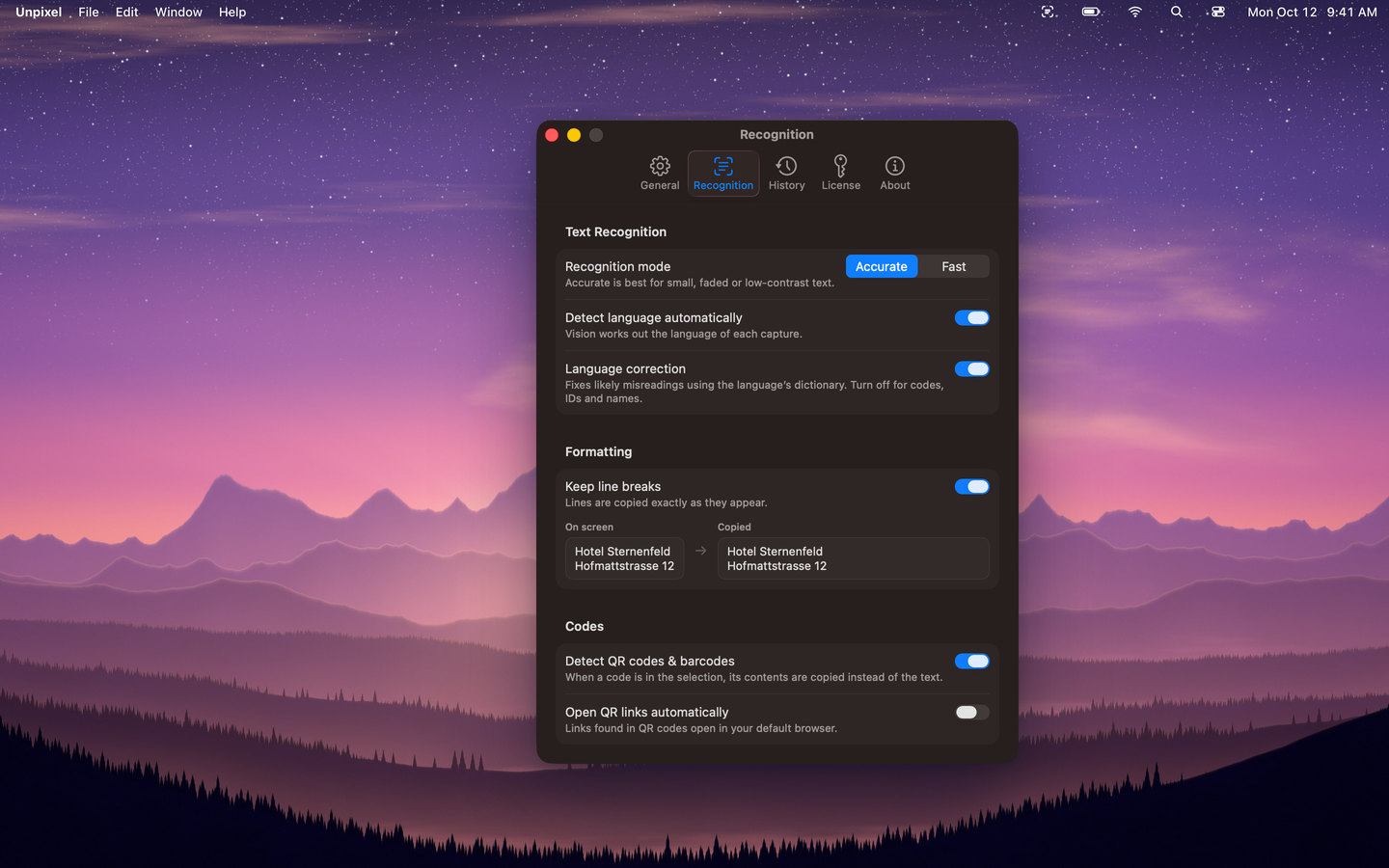
  • Recognition modeAccurate is best for small, faded or low-contrast text; Fast suits crisp interface text. About 30 languages are detected automatically. Current setting: Accurate.
  • Launch at loginKeep Unpixel ready in the menu bar after you restart.
  • Automatically check for updatesOnce a day. Nothing is downloaded or installed without you.

Every 1.x update is free.

From first light to late night.

Whatever your wallpaper, Unpixel’s panels sit on top of it like they were always part of the desktop.

  • Unpixel’s menu bar panel open over a dawn mountain wallpaper, showing Copy Text, From Clipboard, Open Image, search, filters and the capture history
    DawnThe history panel
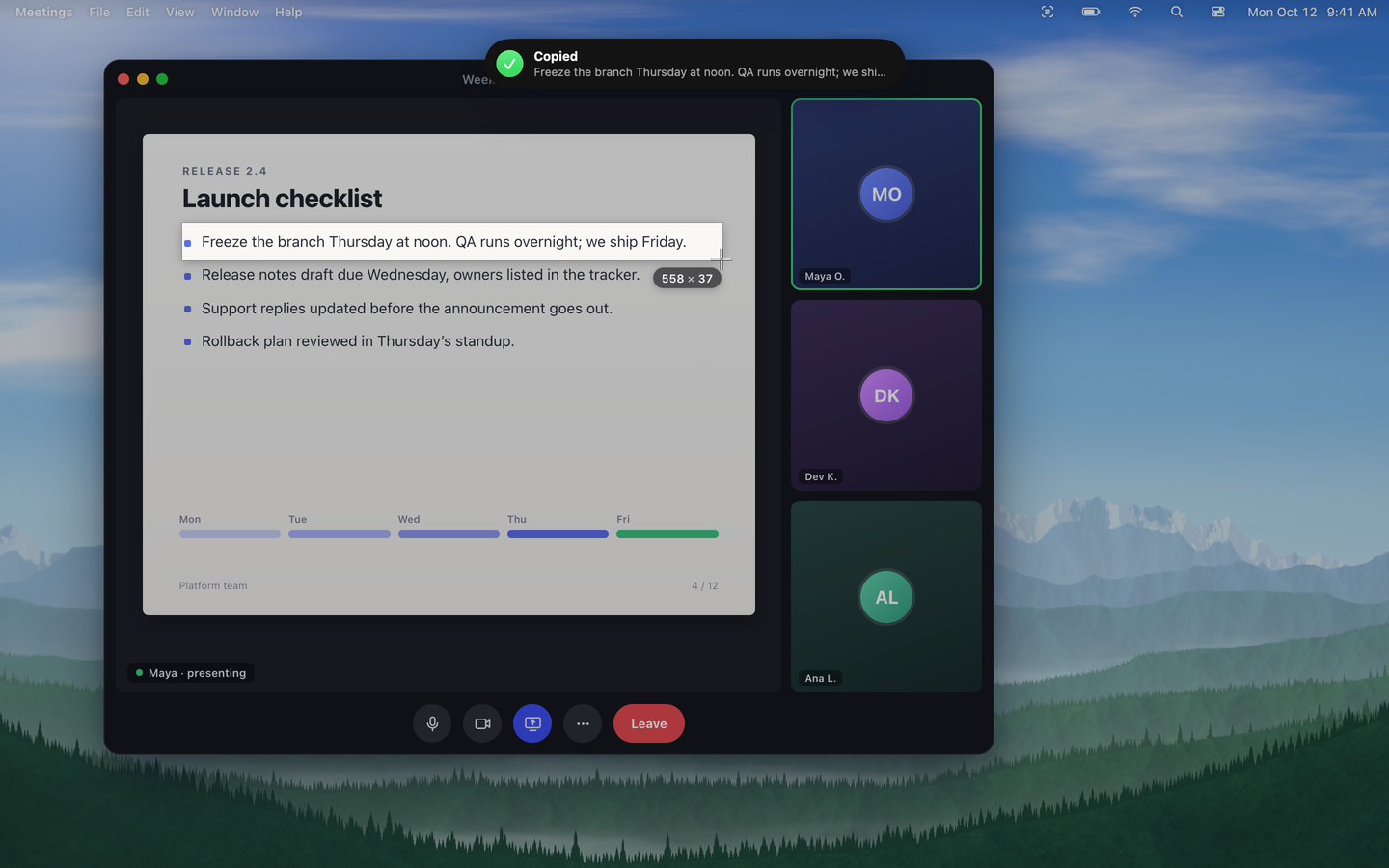
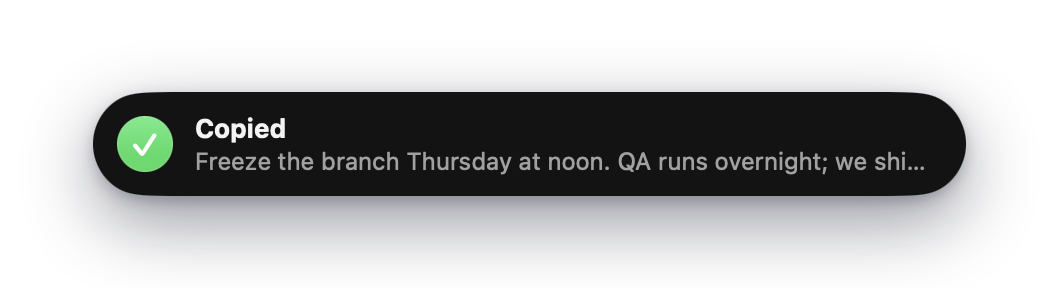
  • Unpixel’s “Copied” confirmation with a preview of the copied text
    MorningCopied, instantly
  • A video call with a shared slide: a selection is dragged over “Freeze the branch Thursday at noon…” and Unpixel’s “Copied” confirmation appears at the top of the screen
    NoonA line from a screen share
  • Unpixel’s menu bar panel: Copy Text (Shift-Command-2), From Clipboard, Open Image, search, All / Text / Links / QR Codes filters and recent captures
    SunsetSearch your history
  • Unpixel’s Recognition settings over a dusk mountain wallpaper: Accurate or Fast recognition, automatic language detection, keep line breaks and QR code detection
    DuskRecognition settings
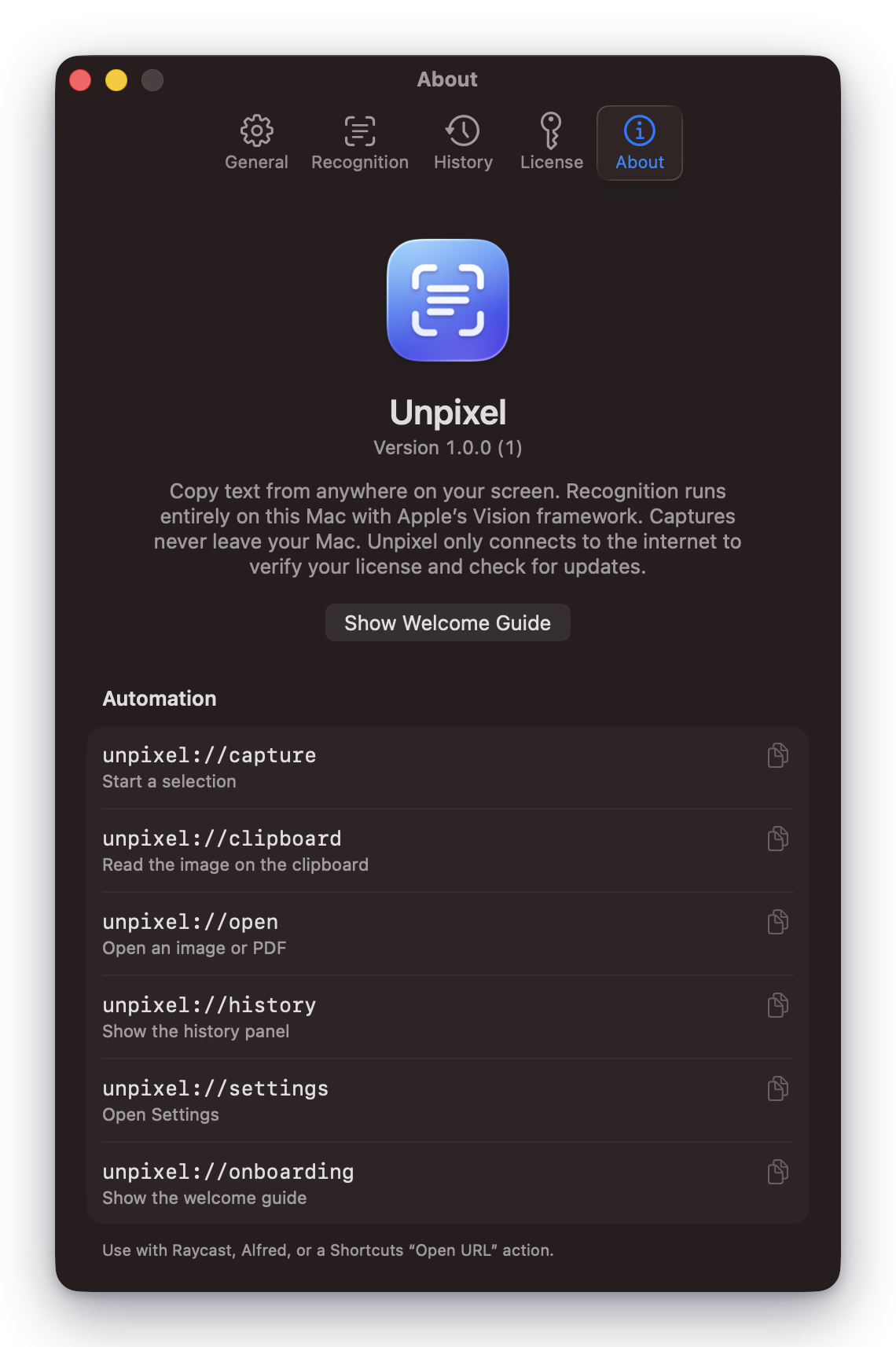
  • Unpixel About settings
    NightAbout Unpixel
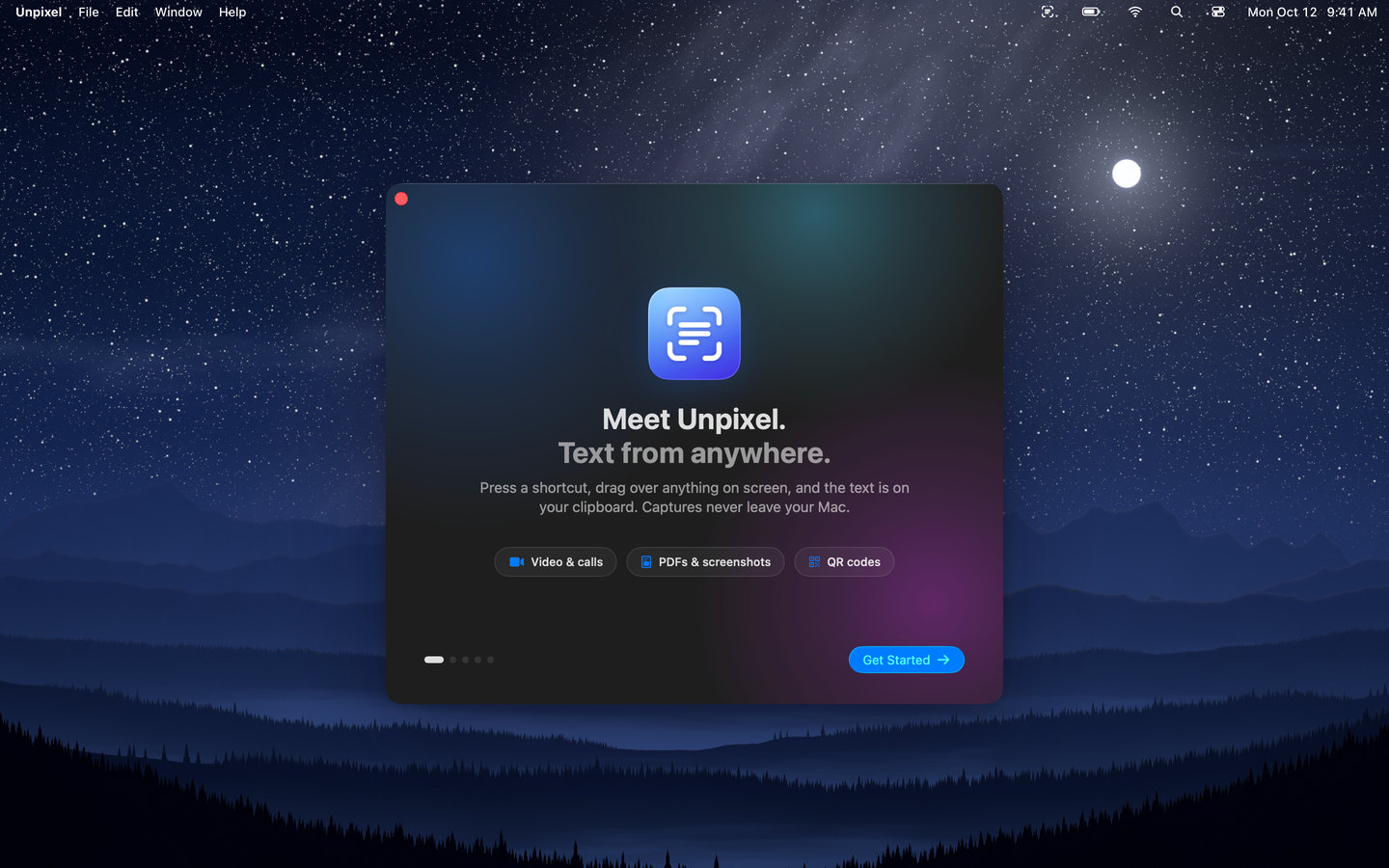
  • Unpixel’s welcome window, “Meet Unpixel. Text from anywhere.”, over a night sky wallpaper
    MidnightThe welcome guide

Pricing

One price. Yours to keep.

No subscription, no account. Every feature and every 1.x update is included.

UnpixelOne-time purchase · license key by email
How many Macs?
$5.99 one-time

For one Mac. Yours to keep.

Buy Unpixel — $5.99
  • Secure checkout by Dodo Payments
  • Prices in USD. Sales tax or VAT is calculated at checkout.

Everything’s included

  • Unlimited captures, recognized on-device
  • QR codes, barcodes and links
  • Clipboard images and multi-page PDFs
  • Searchable history with filters
  • About 30 languages, detected automatically
  • Tables that paste as real tables New
  • Translate while you capture New
  • URL scheme for Raycast, Alfred and Shortcuts
  • All 1.x updates included
  • Use on 1 Mac
14-day money-back guaranteeNot for you? Email us within 14 days for a full refund.

Need more than 3 Macs, or licenses for a team or a classroom? Get in touch. Already bought? Download Unpixel.

FAQ

Questions, answered.

The short version: it runs on your Mac, you pay once, and you can get a refund for 14 days. Anything else? Email us.

Using Unpixel

What does Unpixel do?

It turns anything on your screen into text you can paste. Press ⇧⌘2, drag a box over the text — in a video, a screen share, a scanned PDF, a photo, a slide or an error dialog — and when you let go, the text is on your clipboard. It also reads QR codes and barcodes, copied images, and image or PDF files.

Does anything I capture leave my Mac?

No. Text recognition runs on your Mac with Apple’s Vision framework. Captured images are processed in memory and never saved or uploaded, and your history is a local file you can clear or switch off.

Unpixel only goes online to verify your license with our payment provider, Dodo Payments (it sends your license key and your Mac’s name and model), and to check for updates. Details are in the Privacy Policy.

Which Macs are supported?

Unpixel requires macOS 26 Tahoe or later on a Mac with Apple silicon (M1 or newer). It’s built around macOS 26’s Liquid Glass design and the latest Vision text recognition.

Why does it need Screen Recording permission?

macOS requires it for any app that reads pixels from the screen. Unpixel uses it only at the moment you release a selection, and only for the area you selected — it never records video or captures in the background. The welcome guide walks you through the one-time setup.

Which languages can it read?

About 30, including English, French, German, Spanish, Italian, Portuguese, Dutch, Polish, Swedish, Turkish, Russian, Ukrainian, Arabic, Thai, Vietnamese, Chinese, Japanese and Korean. Unpixel detects the language automatically, or you can pin one in Settings → Recognition.

What about handwriting, tiny or blurry text?

Clean, printed text works best. Accurate mode copes well with small, faded and low-contrast text; neat handwriting often works, messy handwriting is hit and miss. If a capture comes out wrong, zoom in on the source and capture again — more pixels mean better results.

Does it work on Netflix, Apple TV+ and other streaming services?

Not on protected video. Netflix, Apple TV+, Disney+ and other services that use DRM show up as a black rectangle to every screen-capture tool — macOS enforces this, so Unpixel can’t read text from those frames. YouTube, Vimeo, video calls, lecture recordings and your own video files work fine. Unsure? Take a regular screenshot (⇧⌘4) first: if it comes out black, Unpixel will see black too.

Can I automate captures?

Yes. Unpixel responds to unpixel://capture, unpixel://clipboard, unpixel://open, unpixel://history and unpixel://settings. Use them from Raycast, Alfred, Shortcuts (Open URL) or the Terminal with open unpixel://capture.

Why does macOS warn me the first time I open it?

This version of Unpixel isn’t notarized by Apple yet, so macOS asks you to confirm the first launch. Open it once, then go to System Settings → Privacy & Security and click Open Anyway. You only do this once per version. The install guide has step-by-step instructions.

Buying & your license

Is there a free trial?

No — instead there’s a 14-day money-back guarantee. Buy it, use it for real work for two weeks, and if it isn’t for you, email us for a full refund. No forms, no questions.

How does the license work?

It’s a one-time purchase for 1, 2 or 3 Macs. Your license key appears on the confirmation page and arrives by email right away. Open Unpixel, paste the key on the Activate screen (or in Settings → License), and you’re set.

Are updates free? What about 2.0?

Every 1.x update is free — bug fixes, new macOS support and new features alike. If there’s ever a 2.0 with big new features, it may be a separate purchase. Upgrading is always optional: the version you bought keeps working with your license.

Can I move my license to a new Mac?

Yes. On the old Mac, open Unpixel’s Settings → License and choose Deactivate This Mac, then activate the same key on the new one. If the old Mac is gone, email us and we’ll free up the slot.

Can I buy for a team or a classroom?

Yes. Each license covers up to 3 Macs, and you can buy as many as you need — every purchase comes with its own key. For more than a handful of Macs, or if you need an invoice in your organization’s name, email us and we’ll set it up.

I lost my license key.

Search your inbox for the order email from Dodo Payments, or open the customer portal and sign in with the email you used to buy. Still stuck? Email support@getunpixel.app.

What’s your refund policy?

If Unpixel isn’t right for you, email us within 14 days of purchase for a full refund. The license key is deactivated when the refund goes through. See the Refund Policy.

Who handles payment and taxes?

Checkout is run by Dodo Payments, our Merchant of Record. They process the payment securely, calculate sales tax or VAT for your country, and email your receipt. We never see your card details.

Do I need an account or an internet connection?

No account, ever. You need a connection once to activate your license. After that Unpixel works offline: it re-checks the license about once a day when you’re online, and keeps working for up to 30 days without a connection.

Stop retyping.
Start copying.

Text stuck in a video, a slide or a scan is one shortcut away. Unpixel is $5.99, once — no subscription.

  • macOS 26 Tahoe or later · Apple silicon
  • 14-day money-back guarantee